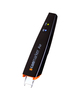
The Scanmarker Pro is a powerful and versatile tool designed for professionals, students, and individuals seeking an efficient way to digitize and interact with printed text. Here’s a detailed overview of its key features:
1. Advanced Text Scanning
- High-Speed Scanning: Scans up to 3000 characters per minute, allowing users to digitize text quickly.
- Multi-Surface Compatibility: Works on books, documents, and even screens.
- Accurate OCR (Optical Character Recognition): Recognizes text with high precision, including symbols and special characters.
2. Multi-Language Recognition
- Support for 120+ Languages: Scans text in multiple languages online and offline. Offline scanning supported for English, Spanish, French, Italian, German.
- Bi-Directional Scanning: Optimized for both left-to-right and right-to-left languages, such as Arabic and Hebrew.
4. Text-to-Speech Functionality
-
- Audio Playback: Reads scanned text aloud, providing valuable support for individuals with reading difficulties, such as dyslexia.
- Adjustable Settings: Customize playback speed and voice preferences in the app.
Extended Battery Life
-
-
- Rechargeable Battery: Long-lasting battery for uninterrupted use.
- Power-Saving Mode: Automatically conserves energy when not in use.
-
Troubleshooting and Support
If you encounter any issues while using your Scanmarker Pro, refer to the following resources:
- User Manual: Provides detailed setup and usage instructions.
- Support Center: Visit Scanmarker website for FAQs, guides, and live assistance.
- Firmware Updates: Ensure your device is updated to the latest version via the app for improved performance.
The Scanmarker Pro is your reliable companion for efficient, accurate, and versatile text scanning and digitization.
Comments
0 comments
Please sign in to leave a comment.