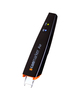
All users of Scanmarker Air, Reader, and USB devices start with our Free Plan Starter Package. This provides immediate access to OCR and Live Translation services at no cost.
How Usage is Calculated
Our monthly allowance is designed to cover regular user volume. Because the system tracks the total volume of data processed, your limit is affected by which features you use most:
Scanning & OCR: Uses basic data.
Live Translation & Voice Features (read aloud): Consumes data more quickly due to the complexity of the processing.
Note: If you reach your limit, your usage will automatically reset at the start of your next monthly cycle. To continue working immediately, you can purchase Pay-As-You-Go Credits
Pay-As-You-Go Packages (No Subscription)
For users with higher data needs, we offer one-time credit top-ups. There are no recurring fees and no automatic renewals. You simply pay for what you need.
| Package | Price | Best For... |
|---|---|---|
| Starter | $5 | Quick scans, short translations, or brief TTS reads. |
| Growth | $10 | Moderate use, longer documents, and multiple translations. |
| Power User | $50 | High-volume scanning and extensive professional projects. |
How the Credit System Works
We’ve designed the system to ensure you always get the most value out of your free allowance first:
Free Credits First: When you have both free monthly credits and purchased credits, the system defaults to using the Free Plan balance.
Seamless Rollover: Purchased credits are only touched once your free monthly allowance is exhausted.
Never Expire: Unlike the free monthly reset, purchased credits never expire. They stay in your account until you use them.
Automatic Notifications: If you run out of credits while working, a pop-up will appear in the app to help you top up instantly.
Why Choose Credits?
No Commitments: No long-term contracts or hidden subscription fees.
Instant Access: Credits are activated immediately upon purchase.
Full Control: You decide exactly how much you spend based on your workflow.
Track Your Purchases
You can easily manage your account and view your transaction history within the Scanmarker application. Simply navigate to Settings and select My Account to see a complete overview of your Active Subscriptions and a detailed Billing History. This section allows you to monitor your credit purchases, check the status of your payments, and confirm which services are currently active on your account.
Managing or Cancelling Subscriptions
If you have an active recurring plan and wish to discontinue it, you can do so at any time directly through your account. Navigate to Settings > My Account and select the Subscriptions tab. Here, you will see a list of your current plans. To stop future billing, simply click the Cancel Subscription button next to the relevant service. Once cancelled, you will continue to have access to the features until the end of your current billing period, after which no further charges will be made.
Comments
0 comments
Please sign in to leave a comment.